


Hi there. If you run a business, you need quick bank access. ICICI Corporate Internet Banking helps with that. This guide shows you how to log in. It covers more than the basic page. You get steps, tips, and fixes. Let’s make banking easy for you.
What Is ICICI Corporate Internet Banking?
This is online banking for firms. It lets you check accounts from anywhere. You can send money fast. Pay bills too. It’s safe and quick. Big or small firms use it. It works 24/7. No need to go to the bank.
How to Sign Up for ICICI Corporate Internet Banking
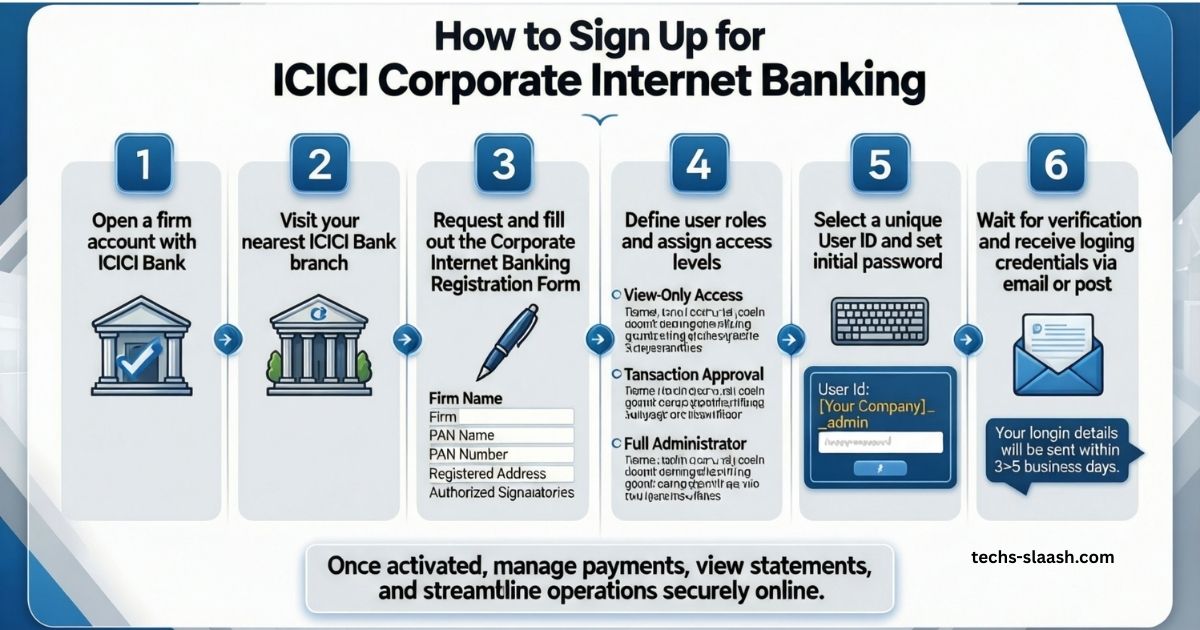

New to this? Sign up is simple. You need a firm account with ICICI Bank first.
- Go to your bank branch. Ask for the form.
- Fill in your firm details. Add who can use the login.
- Pick a user ID. Set roles like view only or pay.
- The bank checks it. Then you get login info by mail or email.
- Use that to set your password online.
This takes a few days. But once done, you save time.
Step-by-Step: How to Log In
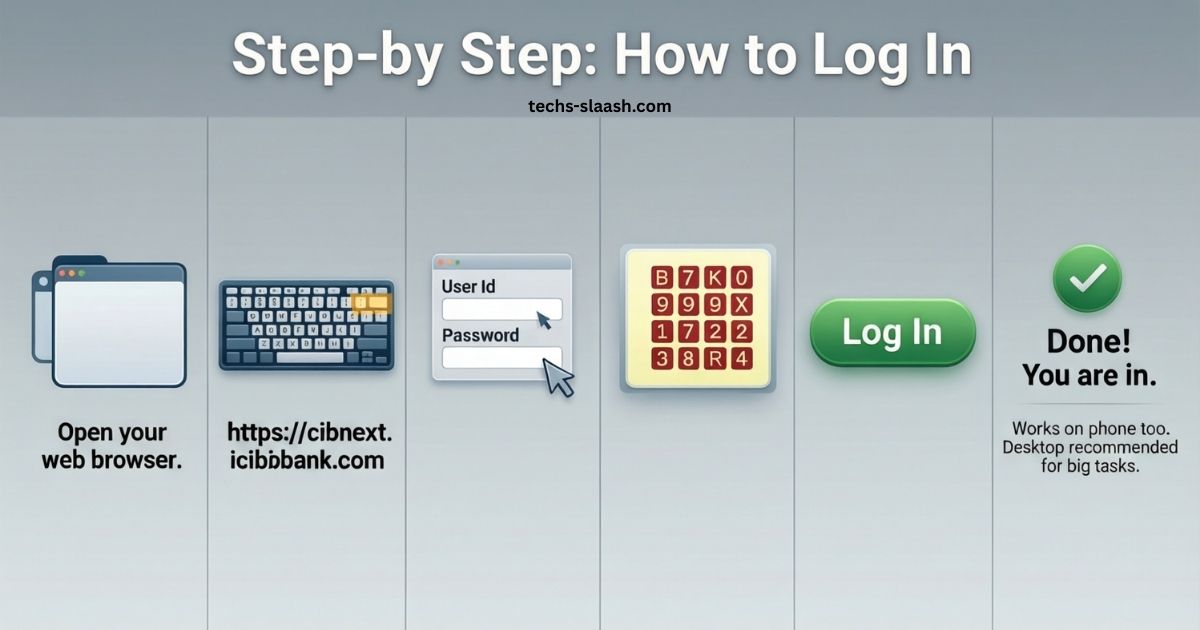
Ready to log in? Follow these easy steps.
- Open your web browser.
- Type the right URL. It starts with https://cibnext.icicibank.com.
- See the login box? Put in your user ID.
- Add your password next.
- Type the CAPTCHA code you see.
- Click log in.
Done! You are in. If you use a phone, it works too. But desktop is best for big tasks.
Read: The Small Business Times – Fresh Daily News & Expert Tips 2026
Key Notices You Need to Know
ICICI shares key updates. Here they are.
- For big sends like RTGS or NEFT over Rs 50 crore, you need LEI. That’s from October 2022.
- CAPTCHA is now on login. It stops bad logins.
Check these each time. They keep things safe.
Top Features of ICICI Corporate Internet Banking
This banking has cool tools. It beats basic logins. Here’s what you get.
| Feature | What It Does |
|---|---|
| Check Accounts | See all your firm accounts in one spot. Loans and deposits too. |
| Send Money | Move cash fast with RTGS, NEFT, or IMPS. Do bulk sends. |
| Pay Bills | Pay taxes, bills, or staff. All online. |
| Track Stuff | See real-time updates on checks and cards. |
| Reports | Get custom reports. Set them to run auto. |
| Trade Help | Handle imports, exports, and forex. |
| API Link | Connect to your firm software for auto tasks. |
These make your work faster. You save hours each week.
Key Security Tips to Stay Safe
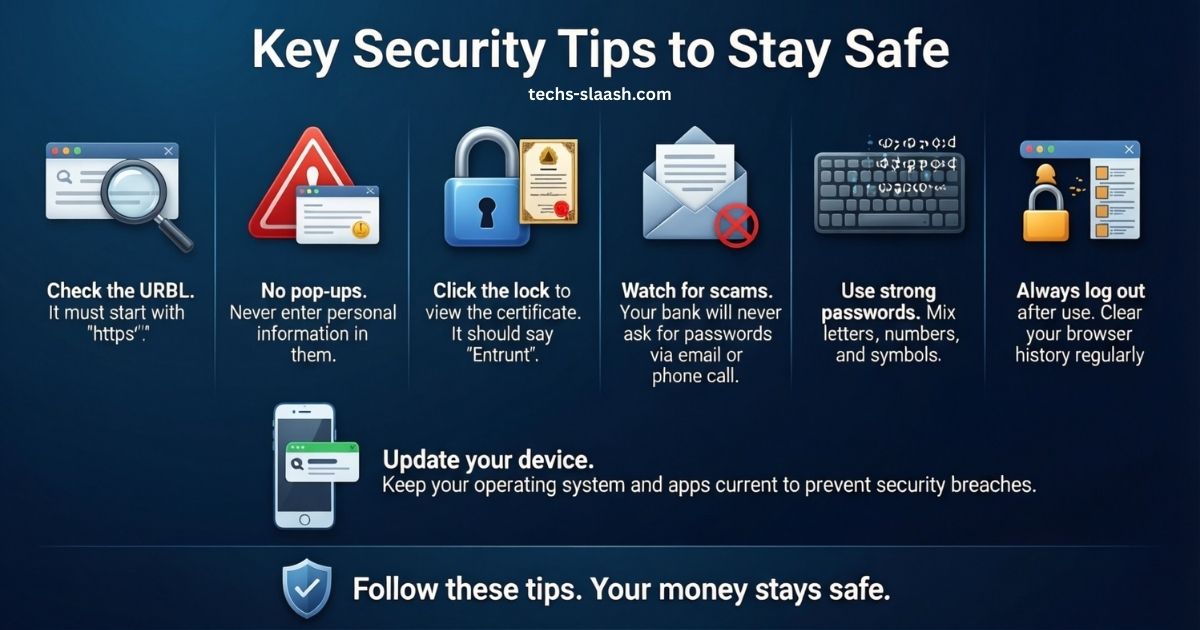
Safety first. ICICI gives tips. We add more here.
- Check the URL. It must start with “https://”. Look for the lock icon.
- No pop-ups. Never put info in them.
- Click the lock to see the certificate. It should say Entrust.
- Watch for scams. Bank won’t ask for passwords by email or call.
- Use strong passwords. Mix letters and numbers.
- Log out each time. Clear your browser history.
- Update your device. Keep software new to block hacks.
Follow these. Your money stays safe.
Fix Common Login Problems
Login not working? Don’t worry. Here are fixes.
- Wrong ID or password? Check caps lock. Try again.
- Forgot password? Click “reset”. Use your phone or email.
- CAPTCHA error? Refresh the page. Type it right.
- Browser issue? Try Chrome or Firefox. Clear cache.
- Account locked? Call support at 1800 1080. They unlock it.
- Slow load? Check your net. Or try later.
Most fixes take minutes. If stuck, call the bank.
Conclusion
In short, logging into ICICI Corporate Internet Banking is quick and straightforward once your account is set up — just visit the official corporate portal, enter your User ID and password, complete the CAPTCHA, and you’re in. With powerful features like bulk payments, real-time account tracking, trade finance tools, and strong security measures (two-factor authentication, session timeouts, and constant fraud monitoring), it remains one of the most reliable corporate banking platforms in India in 2026. Keep your credentials safe, use updated browsers, and regularly check for any mandatory updates such as LEI requirements for high-value transactions. Master this login process and you’ll save hours every week while keeping full control of your business finances from anywhere.
FAQs
You have questions? We have answers. More than basics.
What if I forget my user ID?
Call customer care. Or check your welcome kit. They send it fast.
Can I log in from my phone?
Yes. The site works on mobiles. But for big screens, use a computer.
Is there a fee for this banking?
No. It’s free with your firm account.
How do I add a new payee?
Log in. Go to transfers. Add details and confirm with OTP.
What if I see a wrong charge?
Log in. Check statements. Report it in the app or call.
Can multiple people use one account?
Yes. Set roles. Some view, others pay.
How safe is bulk payment?
Very. It has approvals. You set who checks.